SettingsNow
A settings menu in one line, key rebinding included.
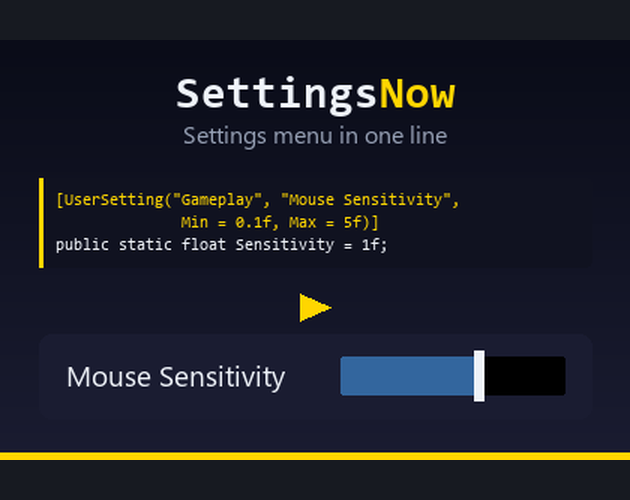
Every game needs the same menu: volume, resolution, quality, language, and the keys. It is a day of work that teaches you nothing, and it has to be done again in the next project.
SettingsNow is that menu, minus the day:
SettingsMenu.Show();That is the whole integration. No prefab to place, no canvas to configure, no manager component and no scene file. The menu builds itself when it is first needed, remembers what the player chose, and looks the same in every project.
Your own settings, without registering them
The part no other settings asset does. Put one attribute on a variable you already have and it turns up in the menu, with the right control for its type:
[UserSetting("Difficulty")] static float _difficulty = 0.5f;A float becomes a slider, an int a whole number slider, a bool a switch and an enum a choice of its values. The value in your code is the default. There is no registration call to forget and no list to keep in sync.
What you get
- Audio, display, quality and language groups, ready made
- Key rebinding with conflict handling: assigning a key that is already taken clears the old binding and says so
- Gamepad navigation throughout, wired explicitly so nothing is unreachable
- Rows that hide themselves where the platform makes them meaningless
- Your own settings through one attribute, no registration
- Full C# source, no DLLs
Requirements
Unity 2021.3 or newer with uGUI and TextMeshPro. Key rebinding needs Unity's Input System. Without it the package still compiles and simply leaves the Controls tab out, and the menu works under both input paths.
Extracted from my shipped game Famechaser.
Where to get it
- Unity Asset Store available now